Email client integrated with company organizational charts and shared address books - OfficeMail
allows direct communication and collaboration with in-house staff and partner companies.
Moreover, emails from company colleagues are automatically categorized into an Important Mailbox.
"Perfect Integration of Company Organizational Charts and Shared Contacts"
Manage company contacts easily and quickly with OfficeMail.
🌳
Organizational Chart Integration
Easily search and contact every employee within the company based on the department and contact information.
🔍
Organizational Chart Search
Use the search function to quickly find the employee you’re looking for and immediately see the emails and file information exchanged with them.
🗂️
Organizational Chart Linkage
Check contacts according to recent, favorites, categories, and see exchanged emails and files right away.
"Automatic Mail Classification Based on Shared Contacts"
OfficeMail adopts an innovative approach by automatically categorizing important mailboxes through whitelist-based filtering, in addition to traditional blacklist-based spam handling methods.
The Importance of Address Book-Based Automatic Classification
Mail coming from email addresses registered in the address book is automatically moved to the important mailbox, playing a crucial role in swiftly identifying and accessing important business communications.
This whitelist-based filtering prevents important emails from being lost amidst unnecessary spam.
Mail from the company organizational chart 👉 Company Mailbox
Mail from the shared address books 👉 Important Mailbox
Desktop-Level Email
Experience
Experience Desktop-Level Email Management Anywhere, Anytime with OfficeMail.
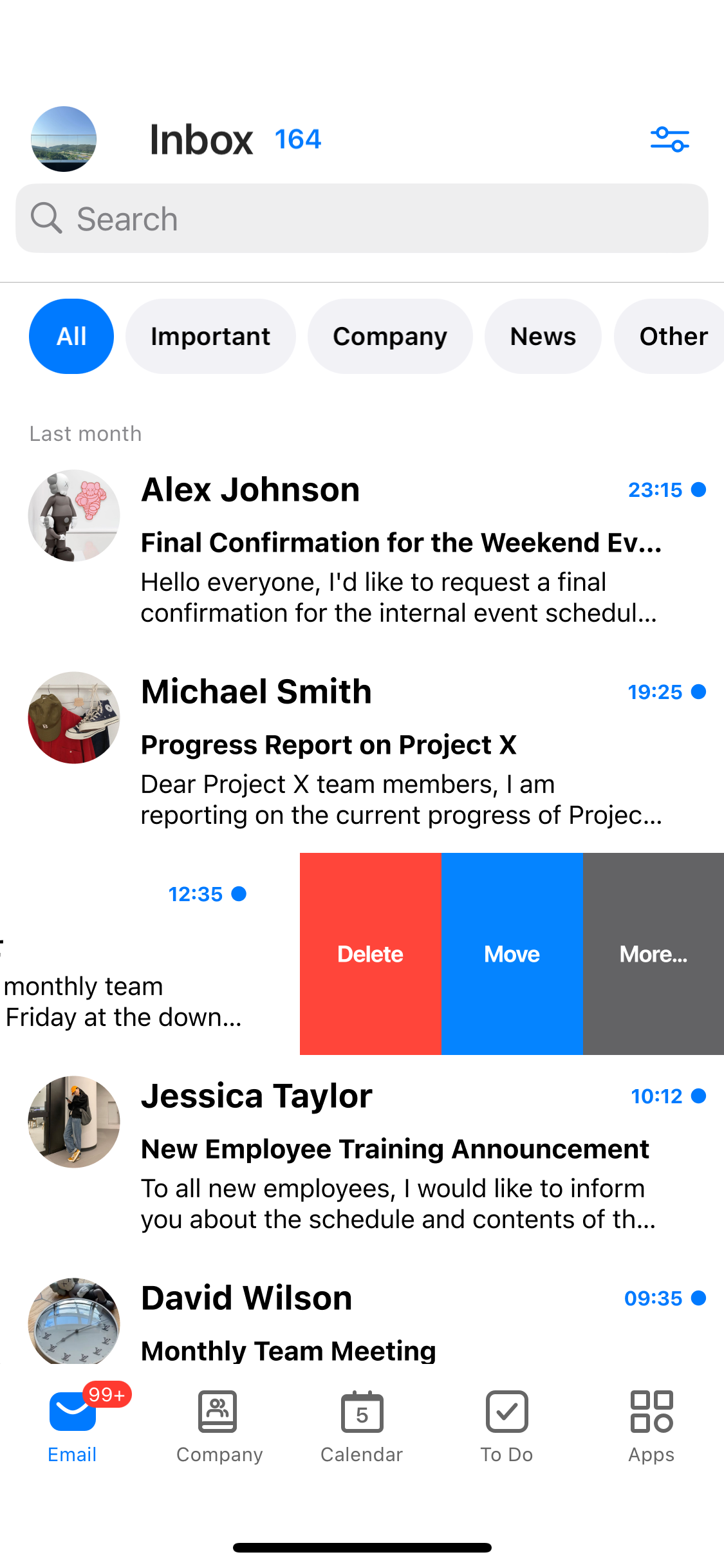
Built-in desktop-level email synchronization feature. Manage emails from all folders anytime, anywhere.
Even in places without internet access, you can view emails stored in the app.
Includes all desktop functions like delete, move, archive, and mark as read.
"The Most Complete Email Client
Experience on Mobile"
🔍
Enhanced Search Features
Offering search keyword options to specify fields like sender, recipient, subject, category for targeted searches. The search within search feature allows you to quickly find the desired email.
📤
Easy Large File Transfers
Easily send large files using cloud storage services for attachment.
Utilize large attachment features optimized for the user’s environment, such as DirectCloud and GigaPOD.
🔔
Filtering Support
Provides standard views for unread and flagged (starred) mails.
Easily categorize and view emails with various filtering options (category, attachment, importance).
💬
Neat Conversation Management with Email Thread
Supports the email thread feature, consolidating emails exchanged on the same topic into one.
Designed to easily view sent/received emails within an email thread without disrupting the thread.
Perfectly Integrated Schedule Management
Manage all meetings, appointments, tasks with OfficeMail’s calendar at a glance.
Conveniently manage work and personal calendars in one app, including meetings, appointments, tasks, and important emails.
Attach files to schedules or link cloud files to schedules through DirectCloud integration.
Easily create online meetings using the online meeting creation option, including Google Meet, Teams Meeting, Cisco Webex, GoToMeeting, and more.
"Unbelievable Advanced Schedule Management
in an Email Client"
📝
Versatile Calendar Views
Provides daily, weekly, monthly, and yearly views.
Offers individual views for each calendar and a consolidated view to see multiple calendars at once.
Features various filtering options to view only the schedules you need.
🔍
Simultaneous Management of Flagged Emails and Tasks
Displays flagged emails along with tasks on the same screen, allowing systematic management of tasks to start, deadlines approaching, and emails to finalize without switching screens.
🗓️
Powerful Sorting and Filtering for Task Management
Customize your task processing order with options to group by due date, start date, importance, and three levels of sorting.
✏️
Instant Note-Taking for Ideas
With OfficeMail, jot down thoughts and ideas immediately, accessible from anywhere.
Strengthened Collaboration with DirectCloud and GigaPOD
OfficeMail’s service integration features simplify and enhance work efficiency.
Seamless integration with cloud storage services like DirectCloud and GigaPOD for easy document and file management and sharing.
Large files difficult to attach in emails can be sent through DirectCloud file links.